
Go from plain-language research question to Boolean search in seconds
Now there’s no need to use specific Boolean syntax in your questions. AI Query Builder — the new AI-powered feature in Scopus — can instantly turn your everyday language research questions into ready-to-run Boolean queries.
Anyone who has tried building a rigorous Scopus search knows how challenging it can be to find the right combination of field codes, quotation marks, wildcards and Boolean operators to return precisely the literature you need. Crafting an exact Boolean query is a skill that takes years to develop, and it has been a blocker between casual searches and the kind of structured, reproducible elements that serious research demands.
The barrier disappears with AI Query Builder. Now available to all authenticated Scopus users, this feature lets you describe your research topic in everyday language. You then instantly receive a structured Boolean query, ready to run on the Document Search tab. Think of it as an advanced search without the specific language and sentence structure. It provides the same rigor as a manually-built query, but it is produced in seconds instead of hours.
How it works
AI Query Builder lives on the Scopus homepage, inside ‘Document Search’. Follow the four straightforward steps below to get results.
1. Ask your question in plain language
Toggle on ‘AI Query Builder’ and type your research question the way you'd ask a colleague, no Boolean syntax knowledge required. A few example prompts are provided to help you get started.
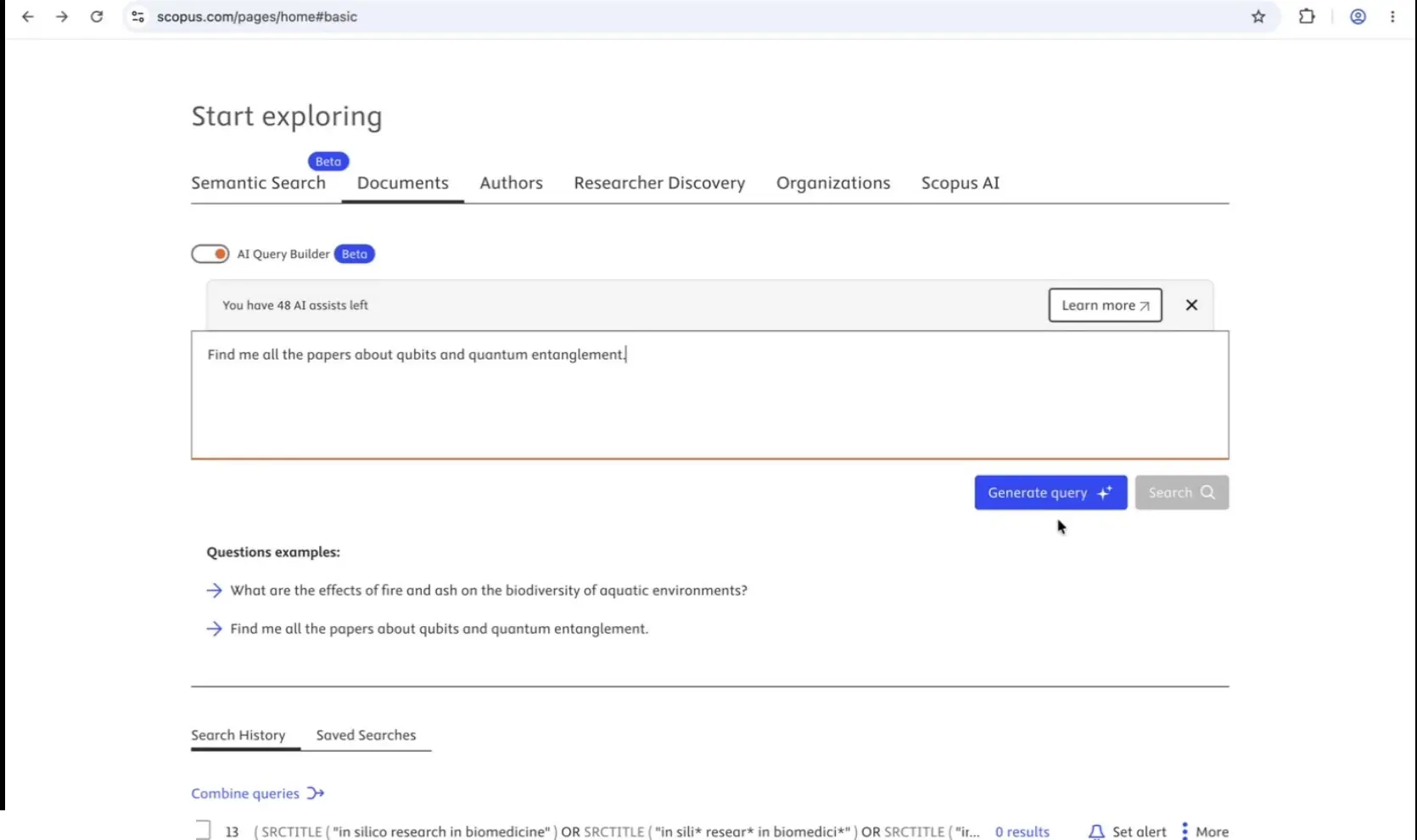
Type a research question in plain language, then click Generate Query.
2. Get an instant, Scopus-native Boolean query
A language model processes your question and returns a structured Scopus Boolean string. This is built from Scopus-native syntax, such as TITLE-ABS-KEY fields and ASJC subject codes, grounded in its comprehensive academic content collection. For example:
TITLE-ABS-KEY ( ( qubit* OR "quantum bit" ) AND ( "quantum entanglement" OR "entangled state" OR ( quantum W/2 entangl* ) ) )
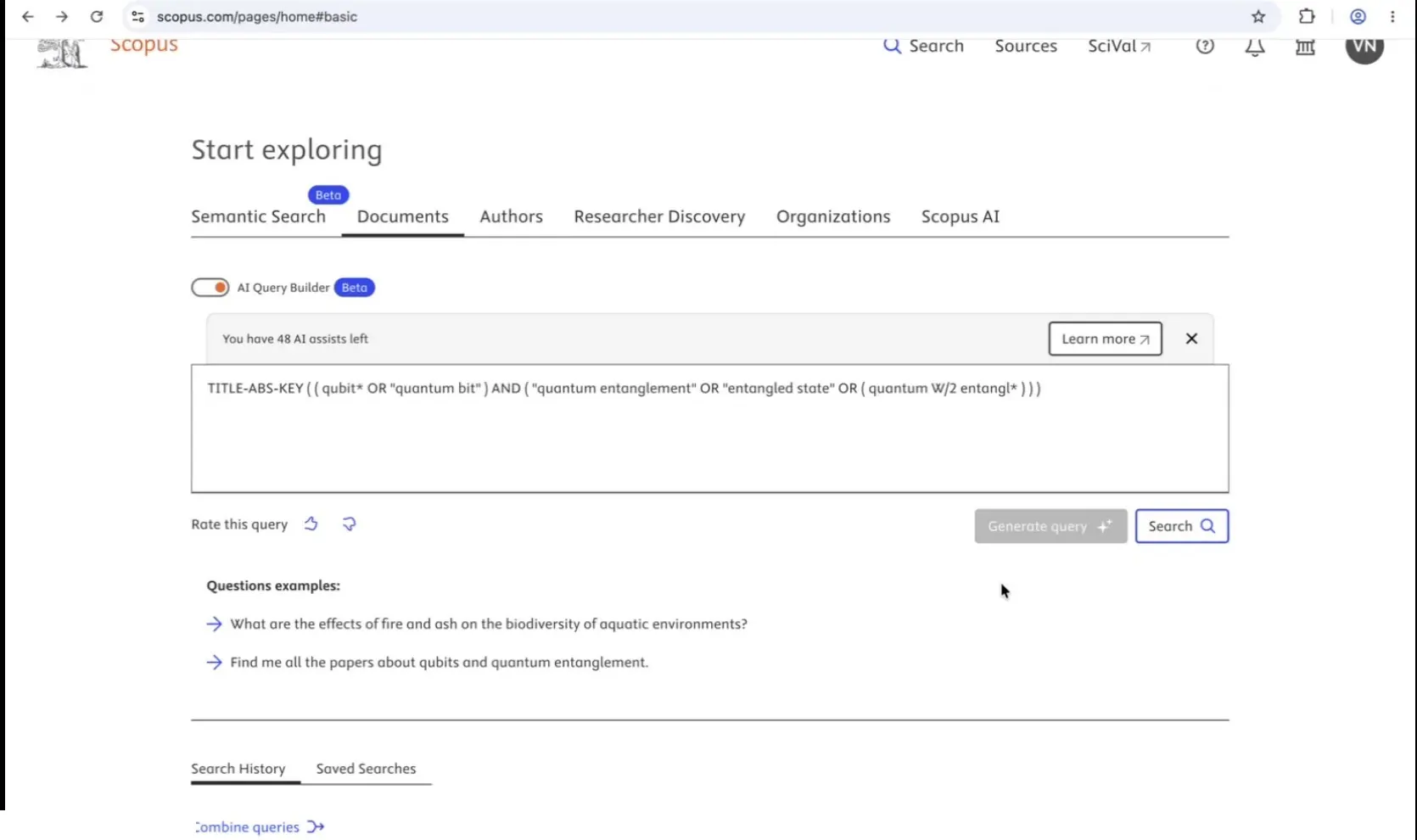
The generated query is displayed in full before any search runs.
3. Review, edit and stay in control
The generated query is fully visible and editable before it runs, nothing happens behind the scenes. You can refine it if you want to and rate the result to help improve future generations. In practice, most users don't need to: more than 90% run the AI-generated query exactly as written, and only less than 10% choose to edit it first.
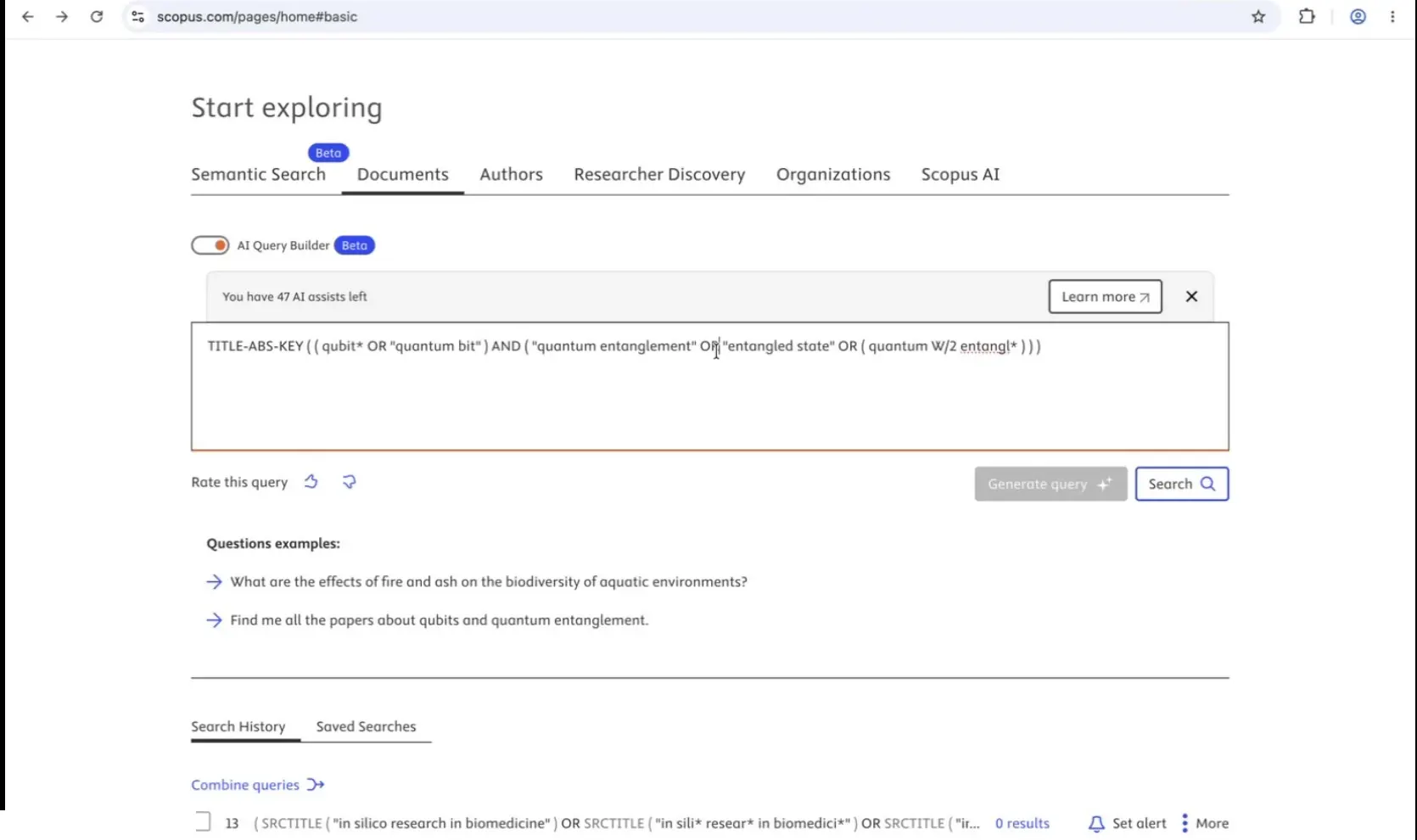
Rate the query and edit it if needed — you decide what runs.
4. Search and get standard, trusted Scopus results
Click ‘Search’ to run the query as a standard Scopus document search. The results are not AI-generated, they're the same, comprehensive and rigorously curated Scopus document search results you'd get from any manually-built query. They can be saved, turned into alerts, and reproduced like any other Scopus search.
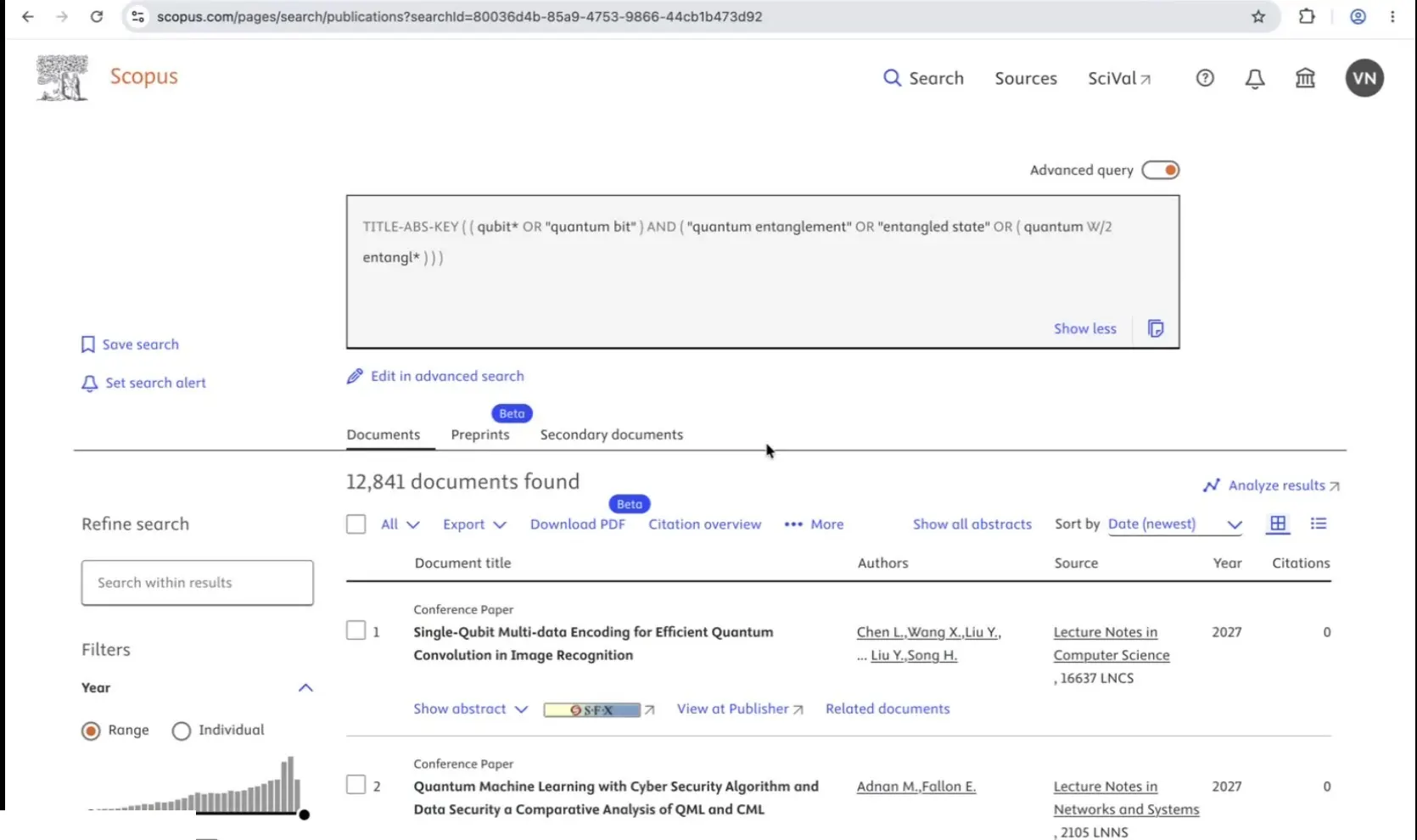
Standard Scopus Document Search results — searchable, savable, and reproducible.
Why you can trust what comes back
AI Query Builder generates the query, not the results. It is an important distinction for these reasons:
The generated Boolean string is fully visible and editable before the search runs, no black-box decision-making.
Search results are standard Scopus document search results, not AI-generated content.
Your queries are never used to train the AI model.
It complements Advanced Search rather than replacing it, so you keep full ownership of your search strategy and researcher rigor.
Users can make fast and efficient progress
AI Query Builder can support students and help them reach their goals. For example, a PhD student preparing a literature review on AI applications in civil engineering won’t need to hand-build a Boolean string. Instead they toggle on AI Query Builder and type their question in plain language. Within seconds, they receive a structured query:
TITLE-ABS-KEY ( "artificial intelligence" OR "machine learning" ) AND "civil engineering"
They review it, decide it's exactly what they meant and run the search, arriving at precise, relevant results without ever needing to learn Boolean syntax.
Getting started
AI Query Builder is available now to all authenticated Scopus users:
Scopus subscribers: 5 AI query generations per day.
Scopus with AI subscribers: 50, up to unlimited on request, AI query generations per day.
Try it in a few quick steps:
Log in at scopus.com,
Select the Documents tab under Search
Toggle on ‘AI Query Builder’
Type your first research question
There’s more to come
This is the first release of AI Query Builder, running on an agentic orchestration layer. Future versions will extend the model's query-generation capabilities to support more advanced use cases. These will including include systematic literature reviews, opening high-quality, structured search to an even broader share of the research community.