
Discover a new way to search Scopus using natural language
ㅤ
Researchers have always faced a tradeoff when searching literature using Boolean search. It’s precise and delivers control, but only if users already know the right keywords and operators. Guess wrong, or phrase questions in a more human way than the database expects, and relevant work can be missed.
Semantic Search is now available in Scopus and lets users make their queries using natural language, in any language. This new, AI-powered search capability is built on the most comprehensive and reliable academic content collection on the market. Instead of guessing keywords, researchers simply ask a question and get the top 100 most relevant documents, including ones a well-built keyword search might miss.
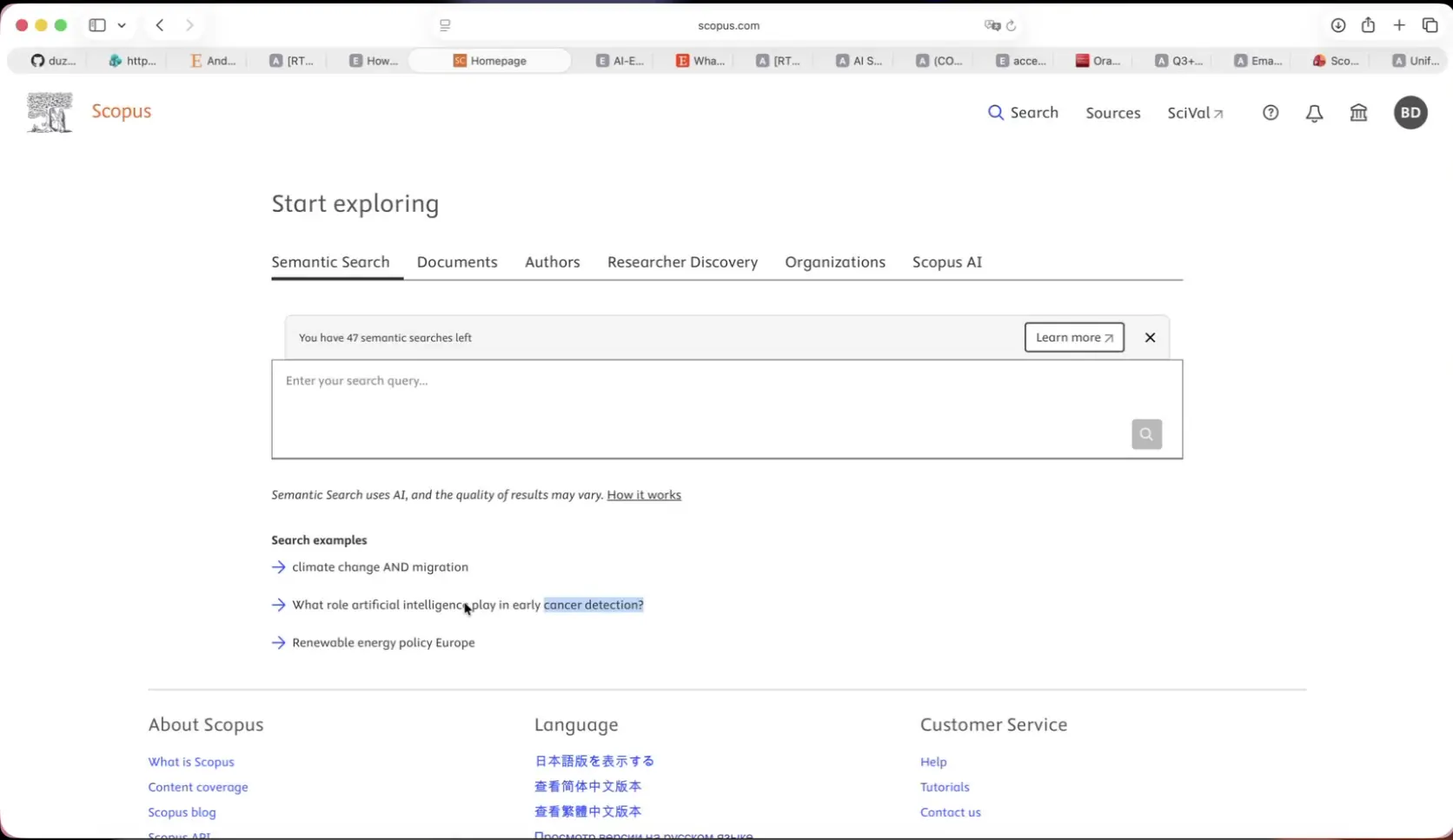
The Semantic Search tab sits on the Scopus homepage alongside Documents, Authors, Researcher Discovery, Organizations, and Scopus AI.
Why we built Semantic Search
Precise Boolean search requires knowledge of the right keywords and operators up front. This is a real limitation, even for experts, since strict keyword matching can miss relevant work that uses different terminology.
Semantic Search gives researchers a natural-language starting point, and surfaces documents that keyword search alone might miss. It complements Advanced Search or AI Query Builder, giving researchers another way to start a search, based on what best fits the moment.
How it works
You can get started in four straightforward steps:
Log in to Scopus at scopus.com
On the homepage, select the Semantic Search tab.
Type a research question or topic in plain language. Semantic Search accepts natural-language questions, such as, “What role does artificial intelligence play in early cancer detection?” plus short topic or Boolean-style phrases up to 500 characters, like “climate change AND migration”.
Select the search icon, or press Enter, to run the search.
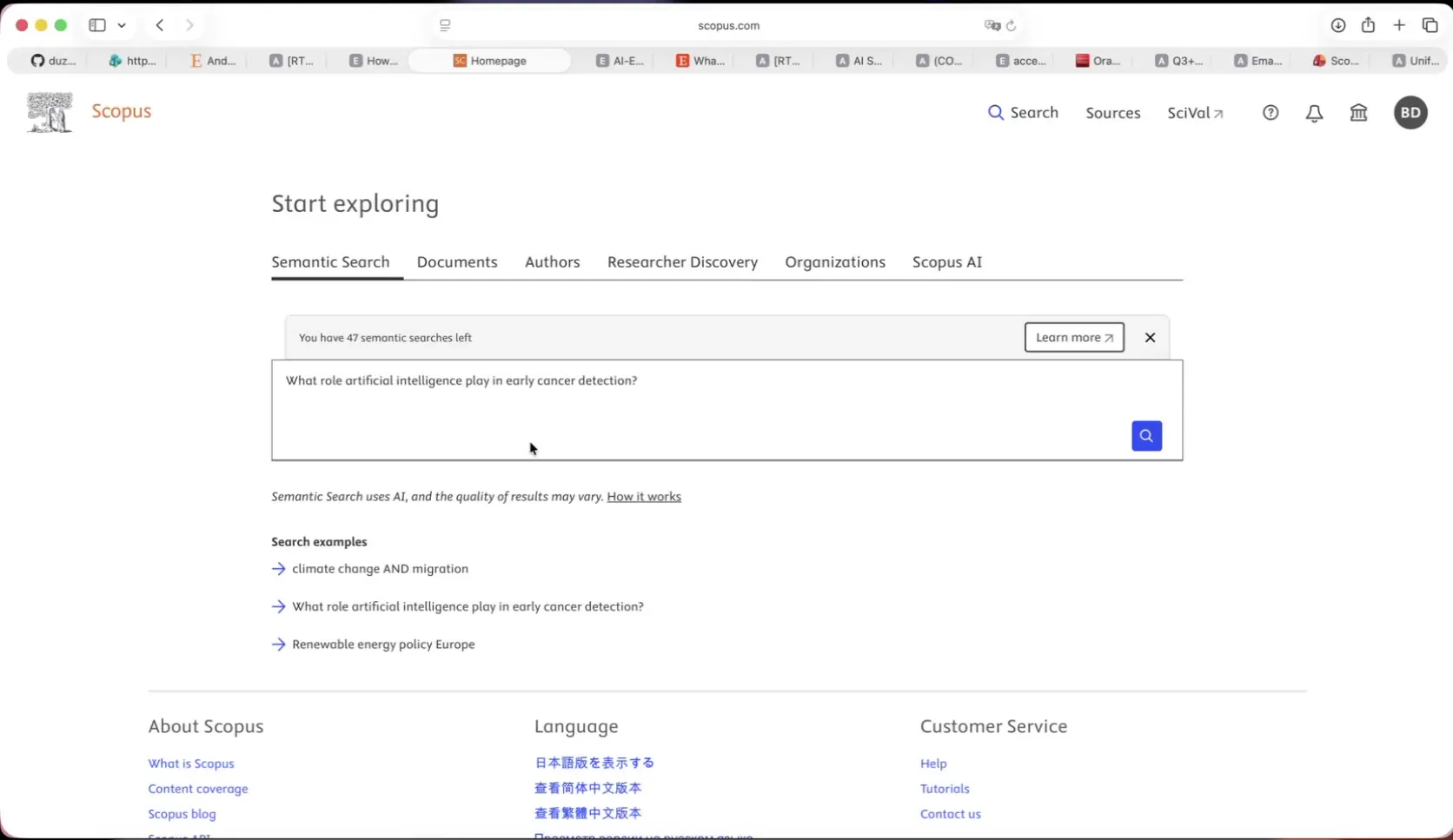
Ask a plain-language question. No Boolean syntax or precise keyword guessing required.
Smarter results without the guesswork
Semantic Search works by comparing the meaning of a query to document content, using embedded vector search and concept matching. It then applies a relevancy re-ranker to surface the top 100 most relevant results. There's no intermediate “generate query” step to review or edit because it retrieves matches directly.
It's also perceptive about the intention of a query. Filters combine with “OR” logic within a category and “AND” logic across categories, so researchers can narrow results as precisely as they like.
From the results list, researchers can filter, export (including all the standard export types available from a regular search), download PDFs in bulk and run a citation overview — all using the same toolkit available from the main Scopus search results page.
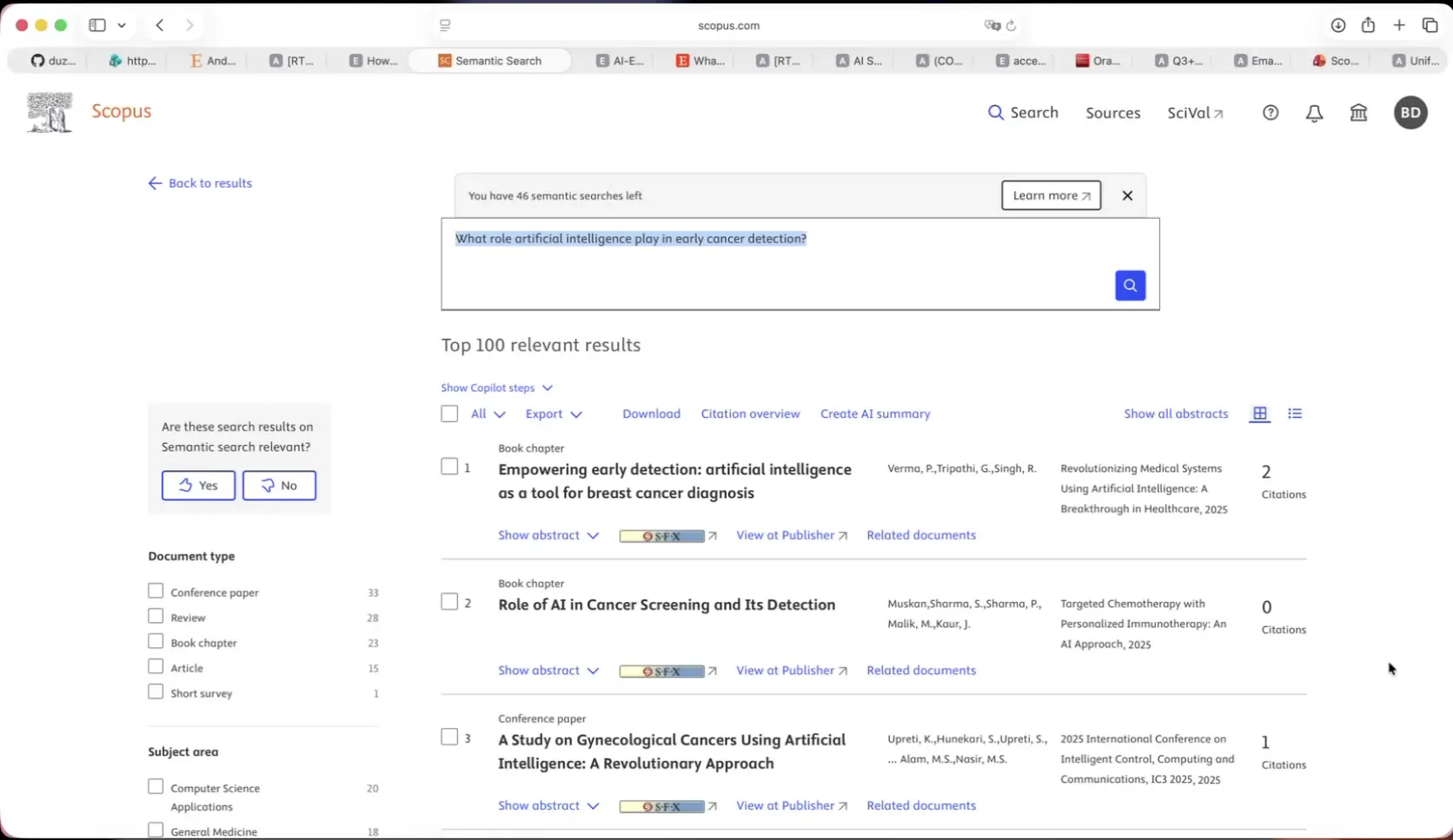
One query returns the top 100 most relevant results, plus a full toolkit: filter, export, download, citation overview, and AI summary.
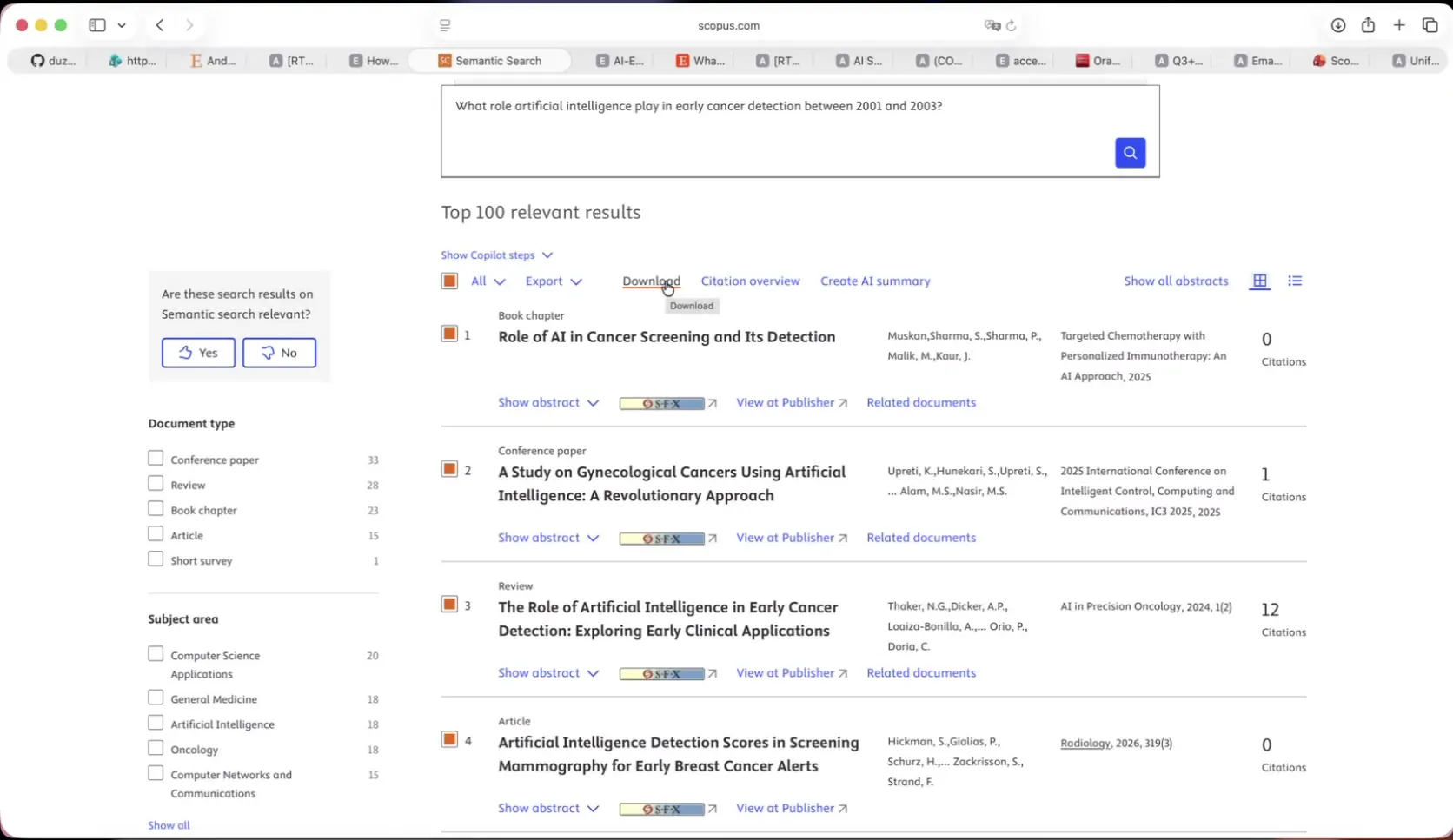
Filters narrow results by document type, subject area, language, and open access.
Researchers stay in control
There’s an important difference between the Scopus AI tab and Semantic Search. The Scopus AI tab runs a natural-language search and generates a summary automatically, choosing the references it thinks are most relevant without giving users a way to filter or control what sources power that summary. Semantic Search flips this model. It allows researchers to choose exactly what references (up to 20 selected from their filtered results) power an AI-generated summary. The summary includes a narrative response to the question asked, a comparison table, a stated confidence level and a conclusion, so researchers can see not just what the AI concluded, but how confident it is and why.
Every query also comes with full transparency: selecting “Show steps” reveals how Semantic Search interpreted the question, what refined query it actually searched and which filters it detected.
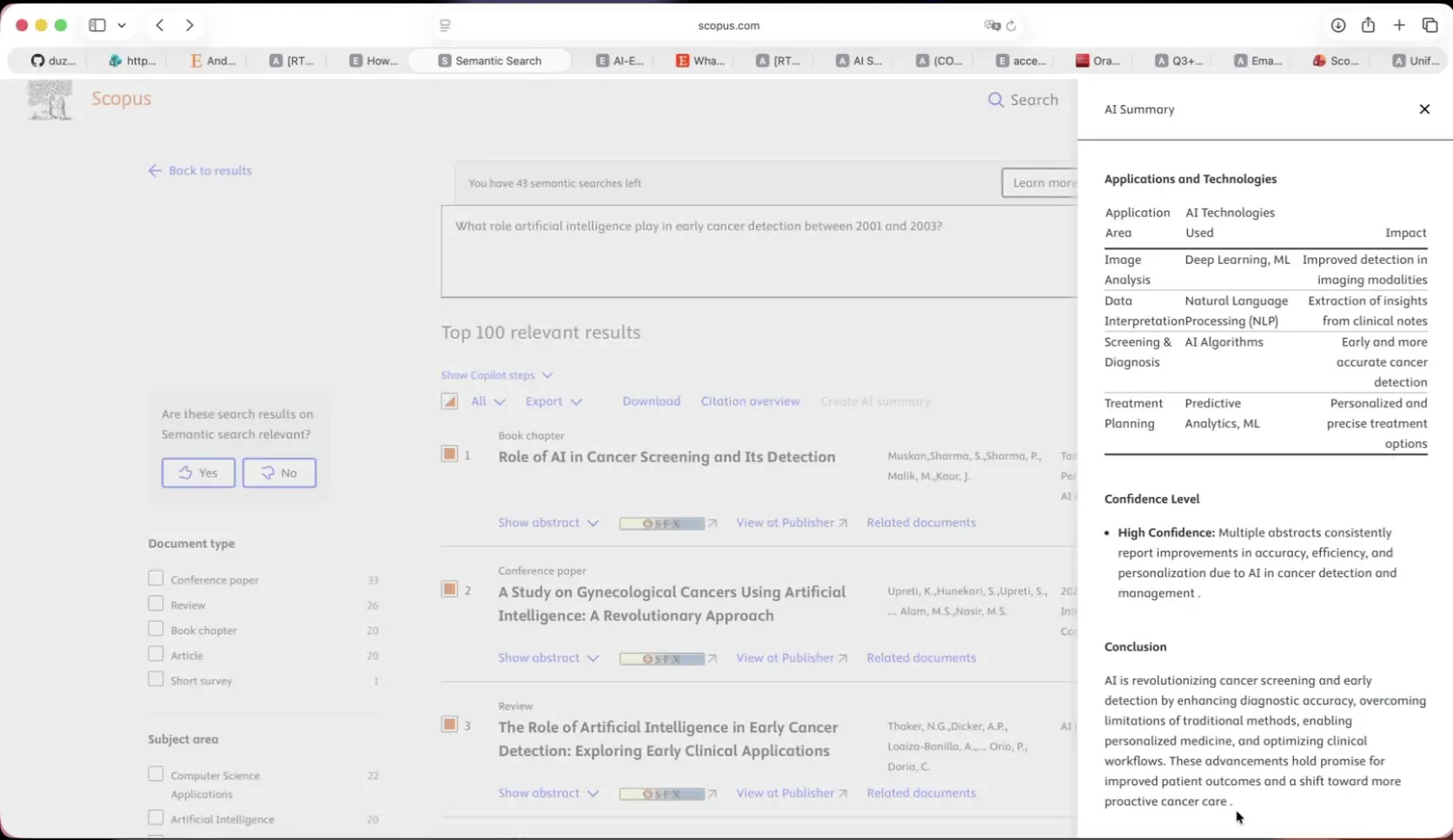
Generate an AI summary from up to 20 handpicked references — complete with a comparison table, confidence level, and conclusion.
Semantic Search, Scopus AI and Advanced Search
These tools are designed to complement each other, letting researchers choose the best option that fits the moment, powered by the same technology underneath. Compare the following:
Advanced Search and AI Query Builder are the right fit when researchers want a precise, editable, reproducible query built from known keywords and operators.
Semantic Search is at-a-glance discovery — a fast, natural-language route to surfacing the top 100 relevant documents. It gives researchers full control over filtering, export, citation overview and exactly which references feed an AI summary.
The Scopus AI tab is the right fit for deeper, conversational exploration. It digs into a topic through follow-up questions, concept maps, topic experts and emerging themes. The other difference is, it selects its own sources and doesn't currently support filtering.
Built on trust
Semantic Search runs entirely in Scopus’ curated and peer-reviewed content collection and never in the open web, so results stay grounded in the same authoritative record that researchers already trust. It retrieves and ranks existing indexed documents only. It doesn't generate or alter content, making sure the underlying research record stays untouched. Queries are never used to train the underlying AI model.
Getting started
Semantic Search is available now to all authenticated Scopus users:
Scopus subscribers can run 5 Semantic Searches per day.
Scopus with AI subscribers get 50 semantic searches per day.
Institutions needing a higher daily limit can request an increase through their account manager.
One search token covers everything done within that result set: filtering, exporting, downloading and generating an AI summary.
Researchers only use a new token when they run a new or refreshed search.
Institutions preferring to disable AI features altogether, can request that change at the account level through their account manager.
This first release is just the starting point. Further plans include inline citations within the AI summary, plus an “explore further” path. These will provide an even richer experience, helping researchers go into deeper, conversational discovery while maintaining the same control. Ready to try it? Log in to Scopus and select the Semantic Search tab from the homepage to ask your first question in plain language.